Lightroom Editing: Before and After - Surfer in Morning Light ,Portugal
Lightroom · Before and After
Lightroom Editing: Before and After - Surfer in Morning Light ,Portugal
This image was taken in Ericeira, Portugal, early in the morning. A surfer standing in soft light, the ocean still calm, a thin layer of mist in the air. The scene already had atmosphere — but the RAW file didn’t fully reflect it.
The direct comparison
From RAW to final edit.
Technically, the exposure was fine. Nothing was completely wrong. But emotionally, the image felt flat. The sky was too bright, the water lacked structure, and the surfer did not stand out clearly enough from the surroundings.
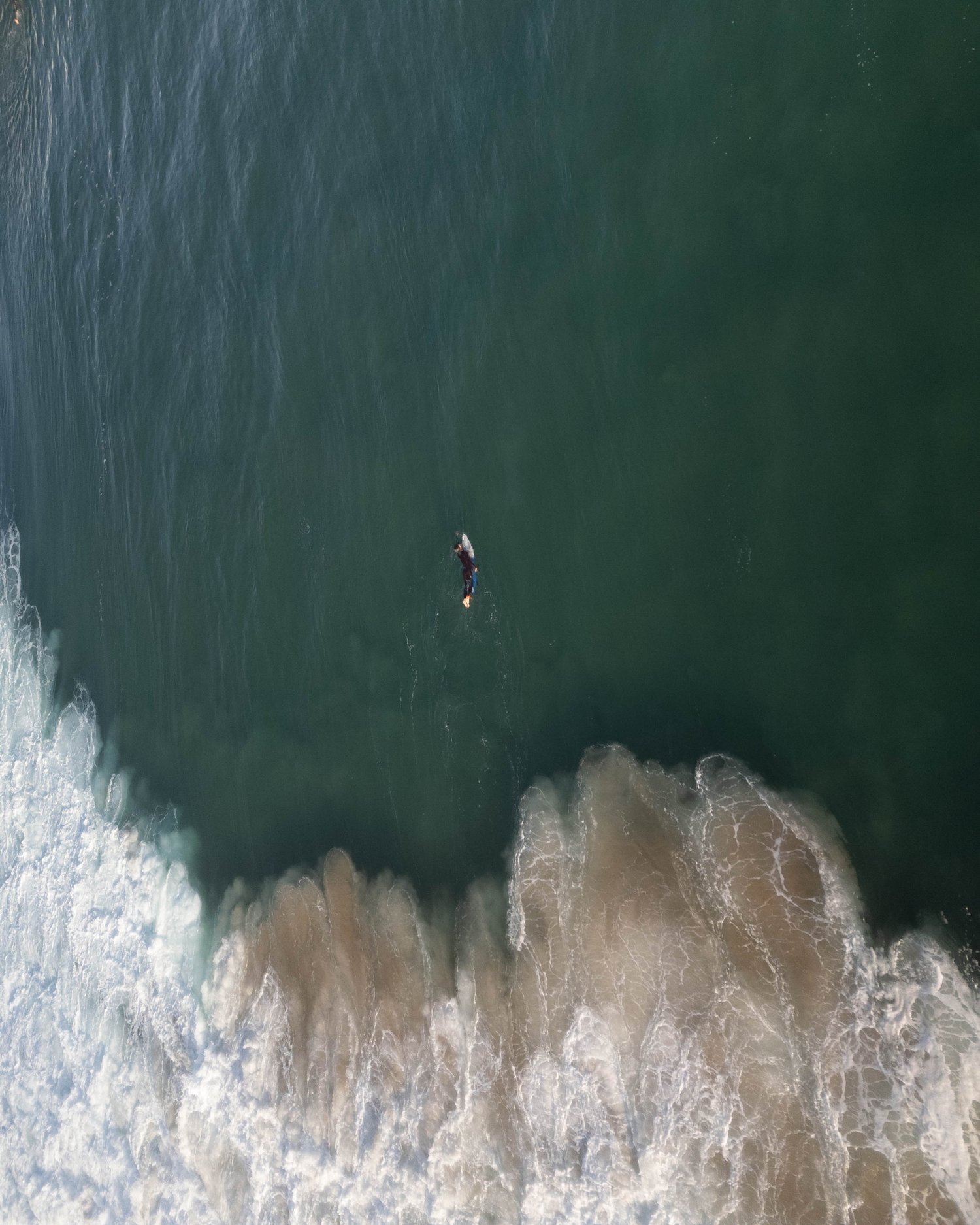
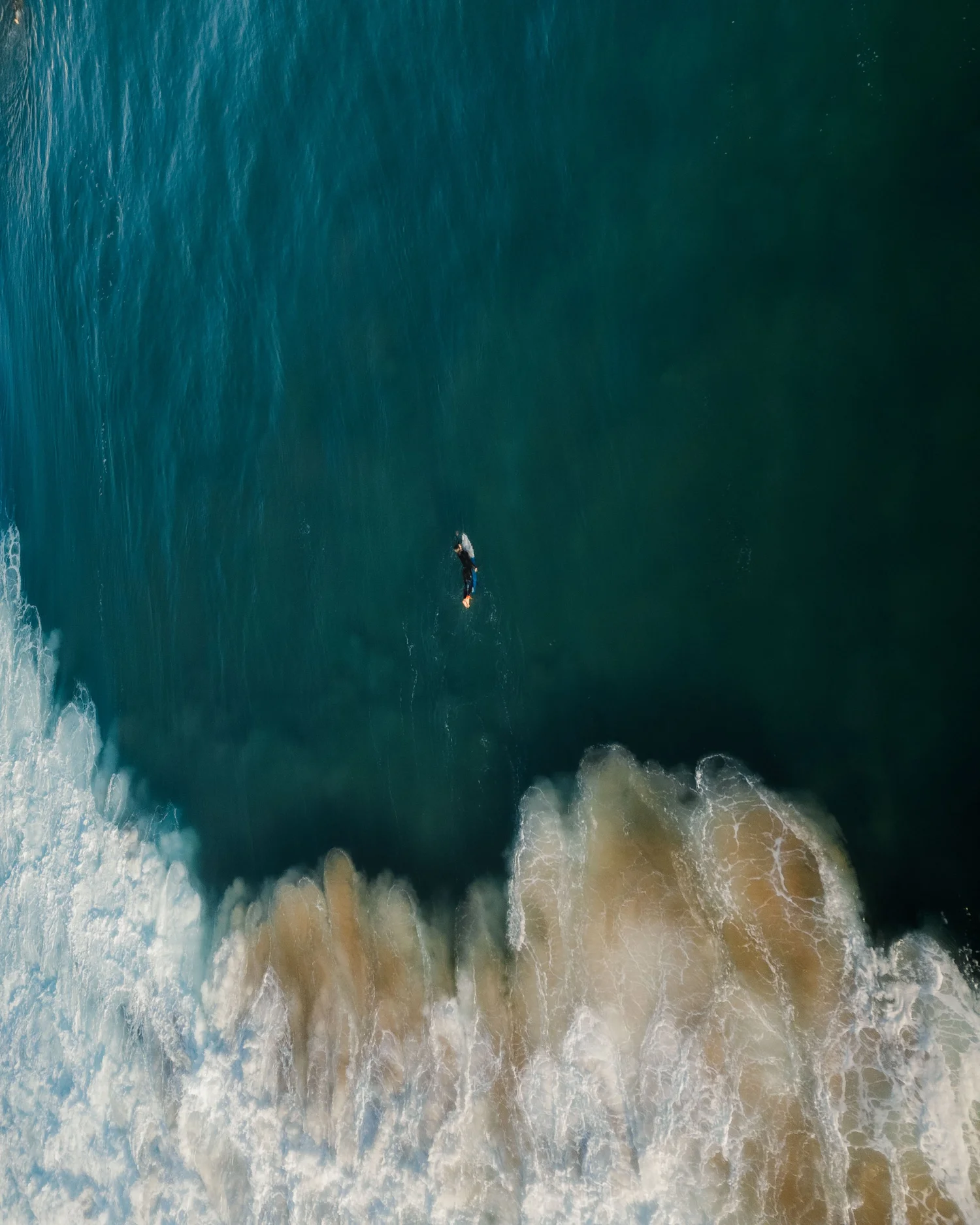
This edit was not about making the image dramatic. It was about creating depth and direction while protecting the calm feeling of the moment.
The original file looked balanced at first glance, but everything lived on a similar tonal level. The highlights were bright and washed out, especially in the sky, while the midtones lacked definition. The surfer was visible, yet visually connected too much with the background.
There was no real hierarchy in the image. My goal was to create separation — not through heavy contrast, but through controlled light.
Step 01
Exposure – Controlling Light Instead of Adding It
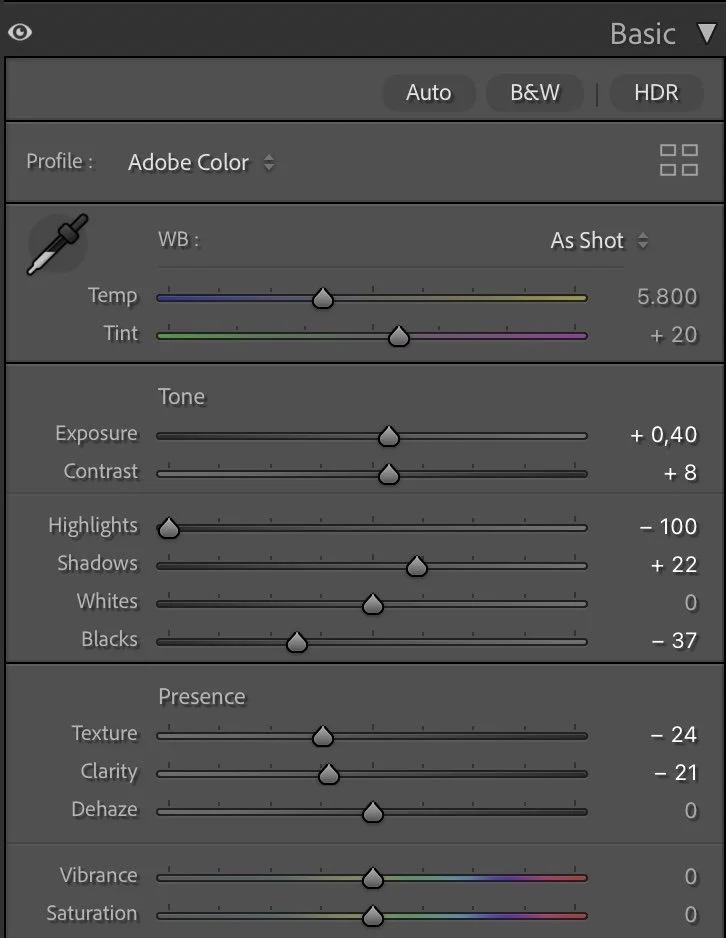
I slightly increased the overall exposure, but the real transformation came from reducing the highlights strongly and deepening the blacks.
What this step changes
By pulling down the highlights, I brought back detail in the sky and prevented it from dominating the frame. Lowering the blacks gave the water more weight and created a stronger silhouette of the surfer.
I avoided lifting the shadows too much. Dark areas are allowed to stay dark. This decision gives the image depth and makes the brighter areas feel intentional instead of accidental.
Step 02
Tone Curve – Gentle Contrast with Purpose
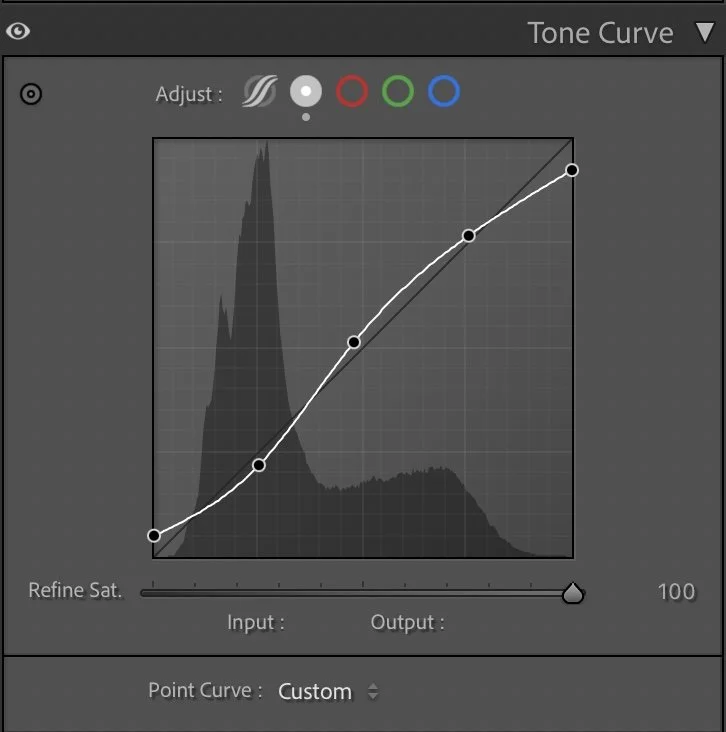
The tone curve follows a soft S-shape. Shadows are slightly lowered, midtones gently lifted, and highlights remain controlled.
What this step changes
This step is subtle but important. It creates separation between the ocean surface, the foam of the waves, and the distant horizon without making the image look harsh.
Contrast is present, but it is quiet.
Step 03
HSL – Color Decisions with Intention
Color was not pushed aggressively. Instead, I focused on clarity.
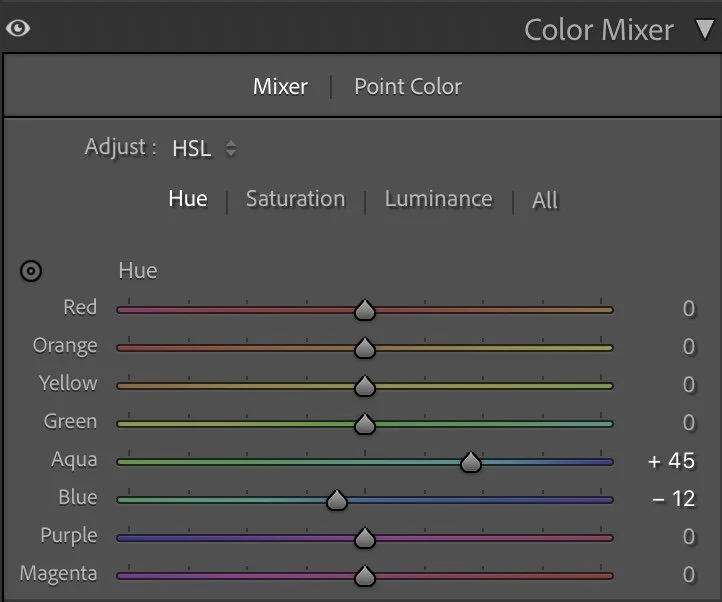
Hue
Color was not pushed aggressively. Instead, I focused on clarity.
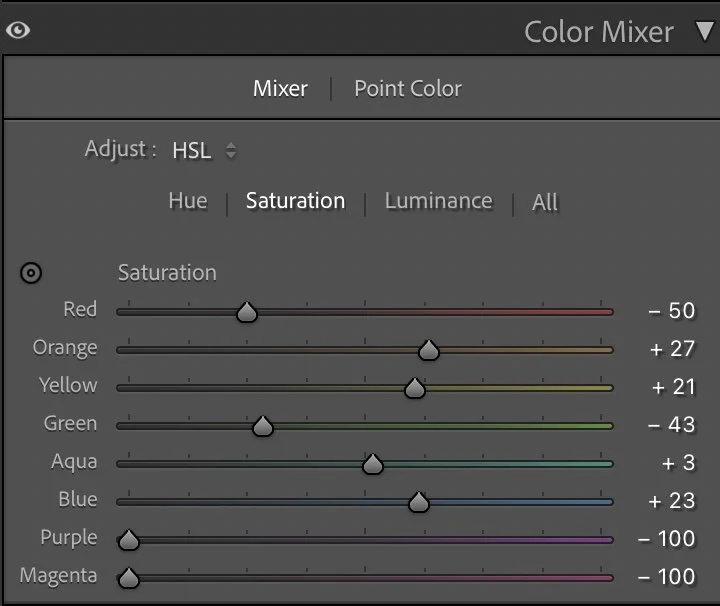
Saturation
The aqua tones were shifted slightly to make the water feel cleaner and more defined. Blues were reduced a bit in saturation to keep the ocean calm and natural. At the same time, I slightly strengthened the orange tones so the surfer gained a touch of warmth. This creates subtle separation between subject and environment.
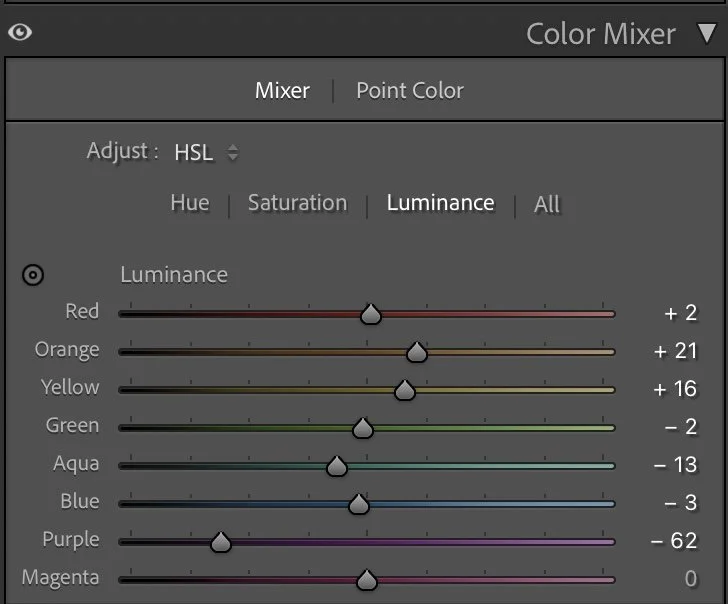
Luminance
The goal was not more color — it was better color balance.
Small luminance adjustments helped shape the scene. By adjusting how bright certain colors appear, the waves gained more texture and structure.
The water feels deeper, the foam more visible, and the surfer clearer against the moving surface. This is where light starts to guide the viewer’s eye.
It is less about brightness and more about direction.
Step 04
Color Grading – Warm Highlights, Cool Foundation
For the final mood, I added a gentle cool tone to the shadows and midtones, while keeping the highlights slightly warm.
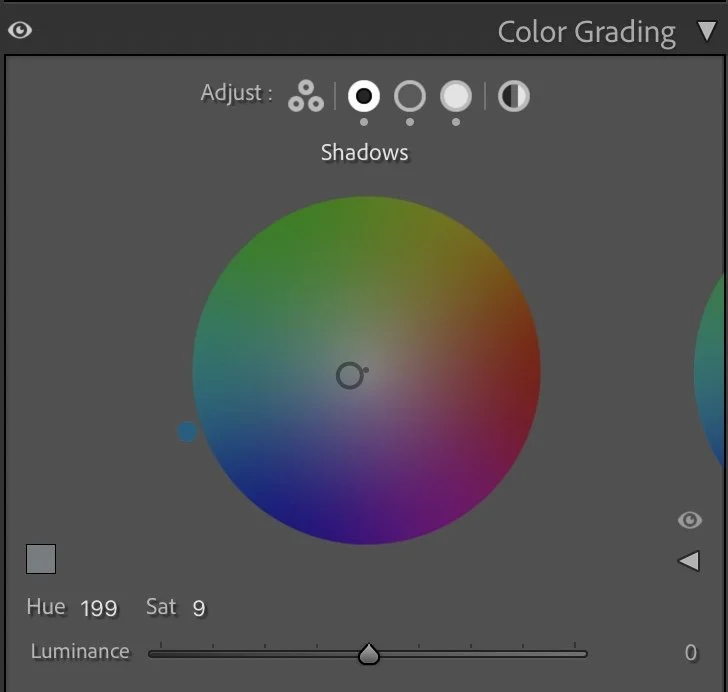
Shadows
For the final mood, I added a gentle cool tone to the shadows and midtones, while keeping the highlights slightly warm.
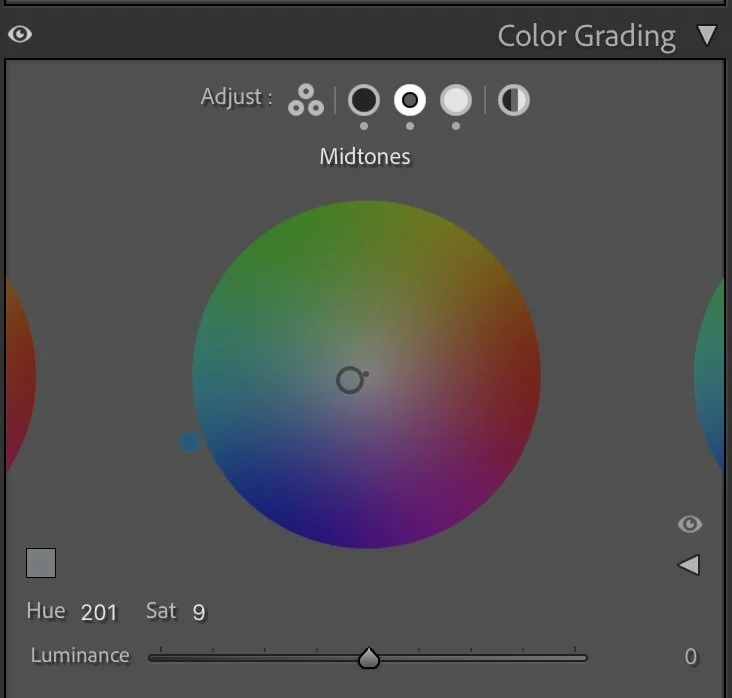
Midtones
This warm–cool relationship creates natural tension. The ocean feels fresh and calm, while the sunlight remains present but controlled. The result is balanced and atmospheric, not cinematic or exaggerated.
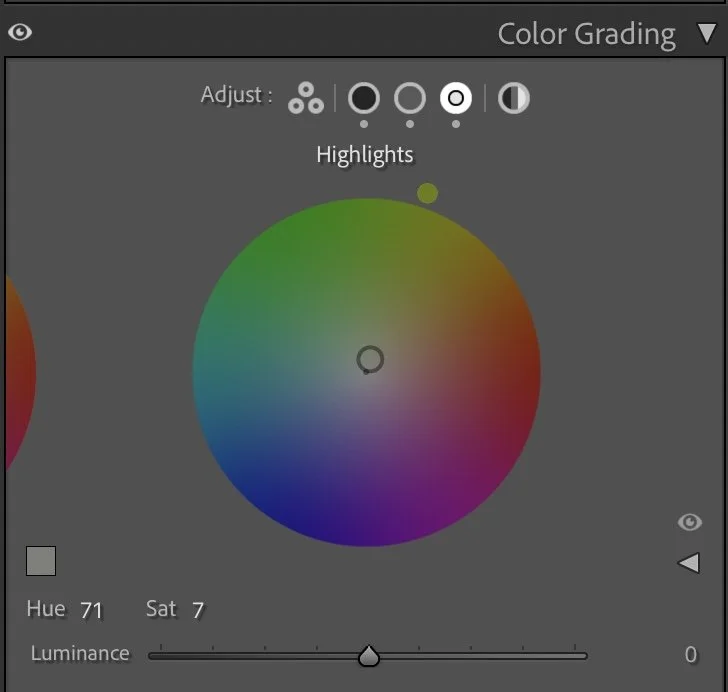
Highlights
The image feels calm, but not flat.
Step 05
Final Result – Clarity Without Overprocessing
The before image was soft and evenly exposed, but lacked structure and visual hierarchy. The after image has depth. The surfer stands out more clearly. The waves have shape. The sky supports the scene instead of overpowering it. Nothing was pushed too far. Every adjustment serves a purpose.
Many edits try to create impact through strong contrast, heavy dehaze, or intense saturation. That can work — but it often removes the natural atmosphere of a moment.
My approach is different. I first reduce visual noise, then carefully build structure. I separate subject and environment without destroying softness.
This is what I teach in my Lightroom course. Not only how to move sliders, but how to think in light, structure, and balance.
Framed Freedom means creating clarity — without losing atmosphere.
The evolution of the edit
Creating more depth in the ocean tones
When I edited this image earlier, my main goal was to highlight the contrast between the waves and the surrounding water. The colors of the ocean became slightly brighter and more saturated, which made the scene feel vivid and energetic.
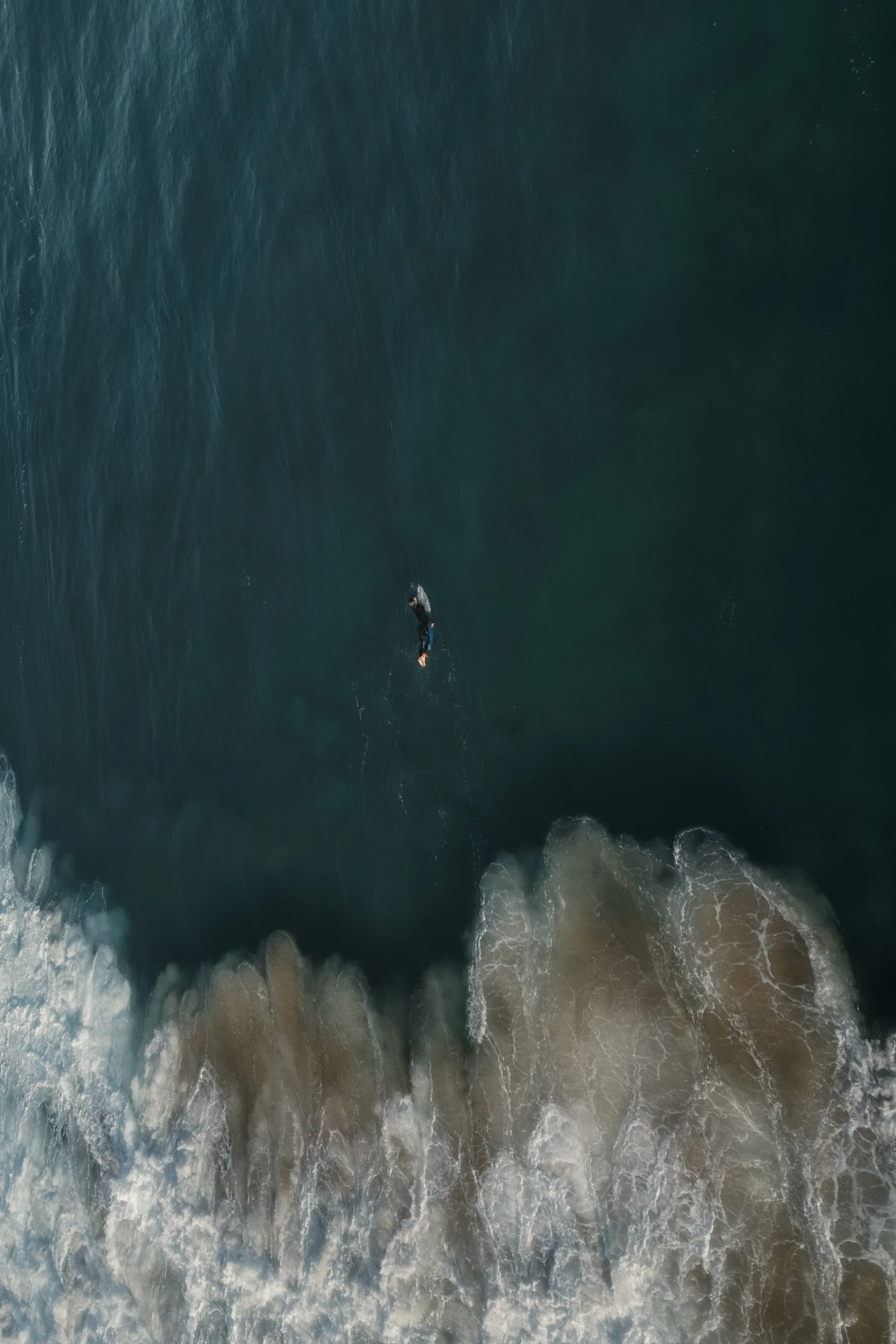
Looking at the photograph again today, my editing approach has shifted a little.
In the current version, I allowed the deeper tones of the water to remain darker while keeping the foam of the waves bright and textured. This creates a stronger contrast between the calm surface of the ocean and the movement of the breaking wave.
The darker tones also add more depth to the water, making the surfer stand out more clearly within the scene. Instead of pushing the colors further, the focus is now on the natural relationship between light, water and movement.
For me, this interpretation feels closer to the atmosphere of the moment, where the ocean appeared deep and calm while the waves added energy to the scene.